 the margin kit
You're selling. So where's the money?
Smart Google Sheets and Excel tools that show what you actually make after Etsy fees, materials, your time and tax. Built by a finance and automation nerd, and tested formula by formula.
One example order
Four tools. Four money questions answered.
Each one does one job well. Use one, or run your whole back office with all four.
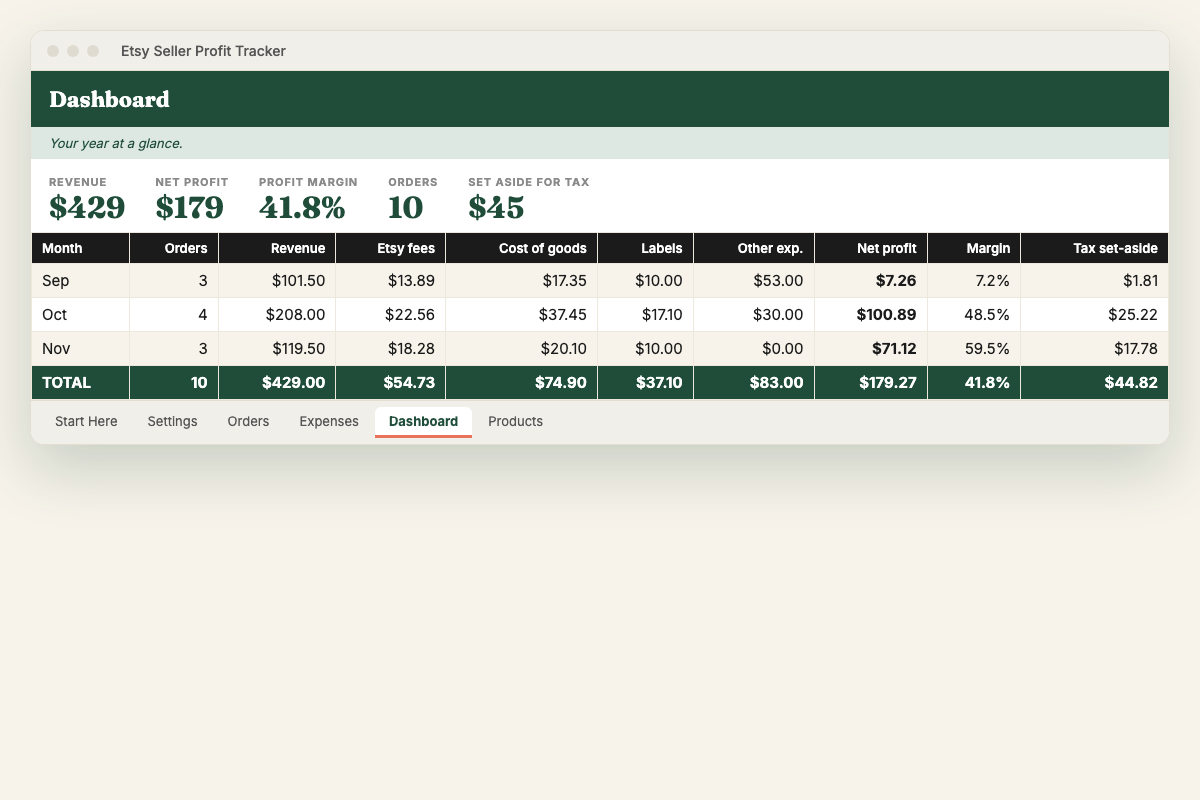 What did I really make?
Etsy Seller Profit Tracker
Log orders and see Etsy fees, cost of goods and true profit per order, product and month, plus how much to set aside for tax.
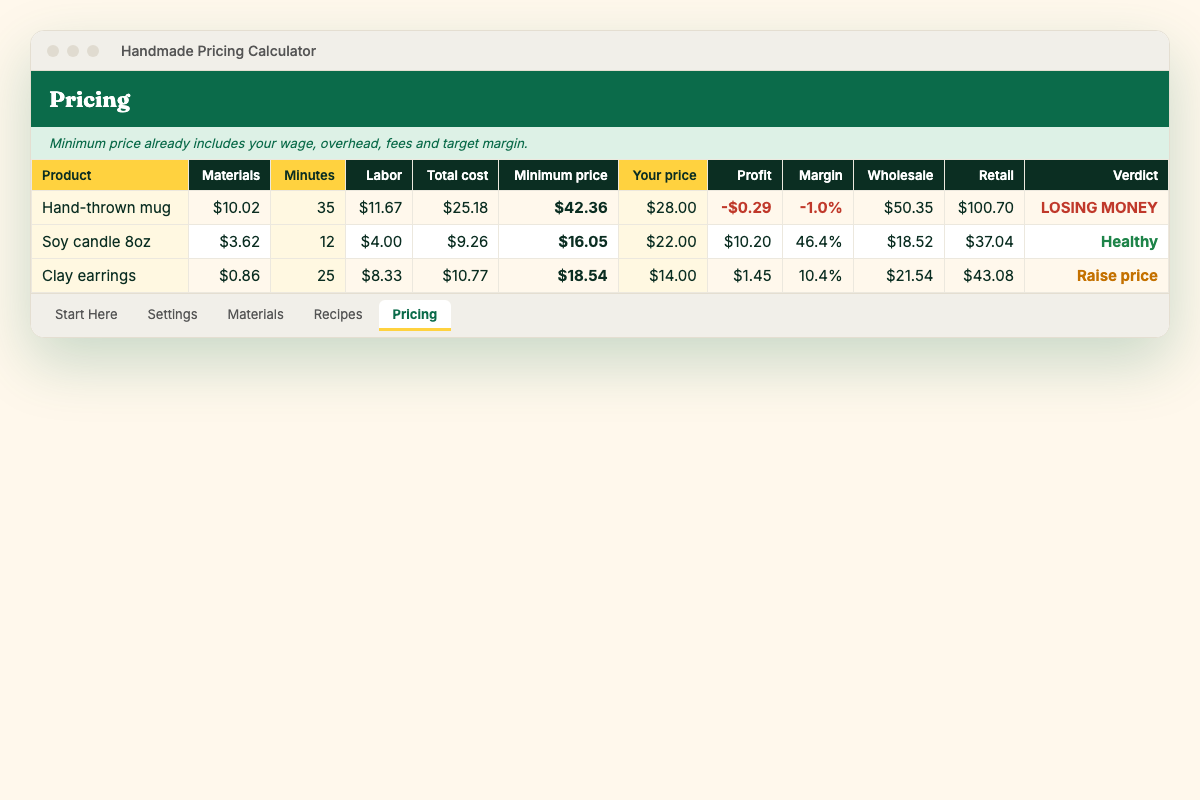 What should I charge?
Handmade Pricing Calculator
Price every product so you're paid for your time, with materials, labour, overhead and marketplace fees all included.
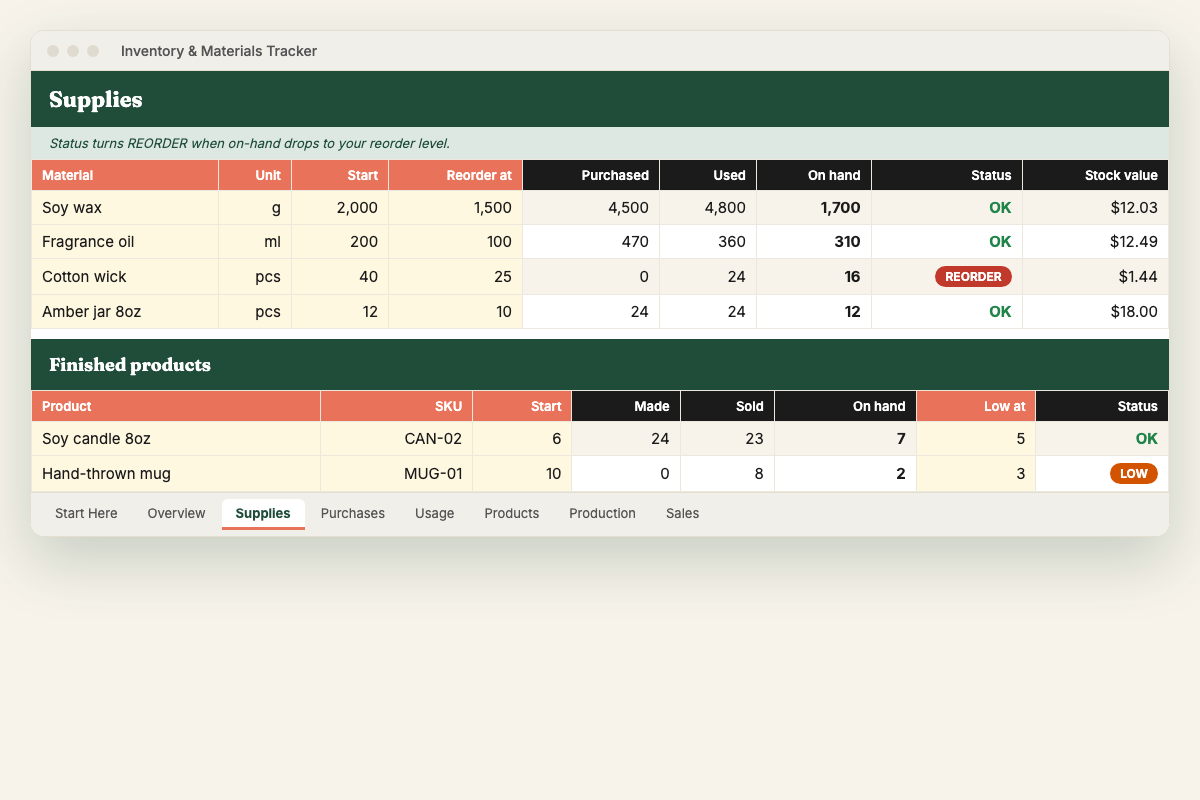 What do I need to reorder?
Inventory & Materials Tracker
Live stock levels for supplies and finished products, with automatic REORDER and LOW-STOCK alerts and stock value.
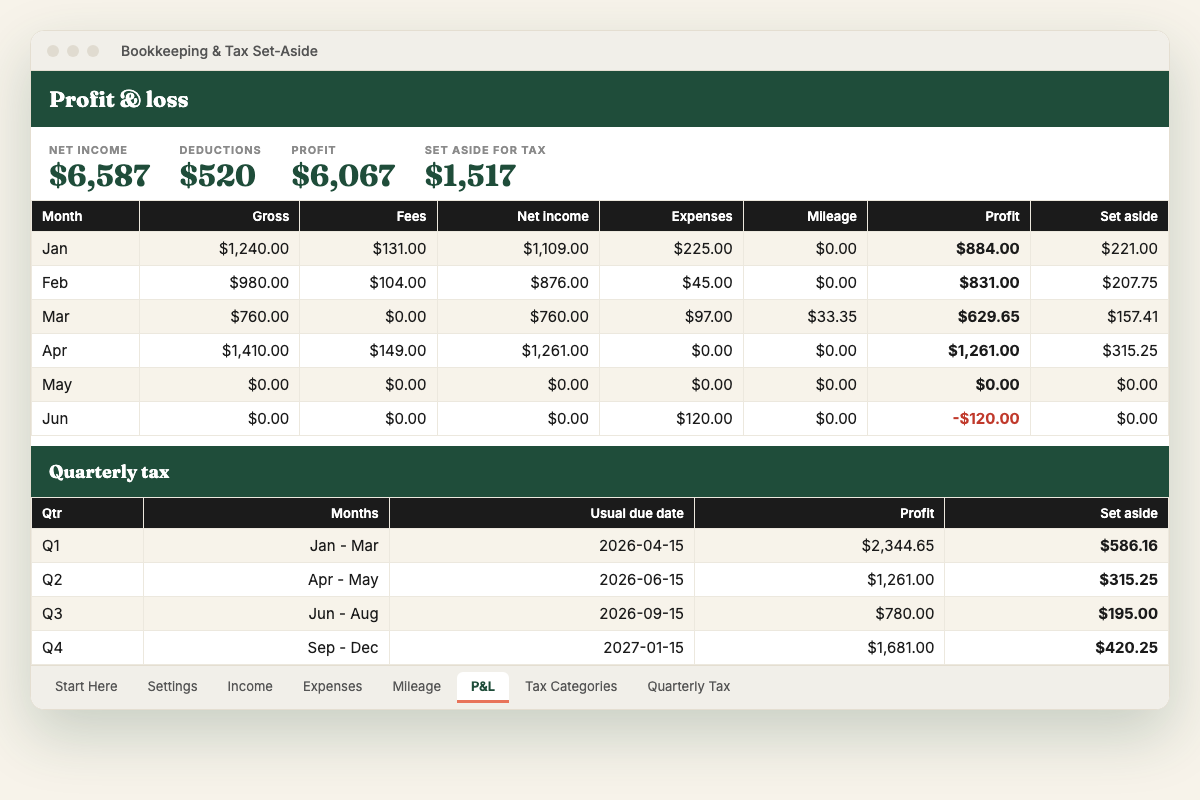
The Maker Back Office Bundle
All four tools: profit, pricing, inventory and bookkeeping. Set it up in an afternoon and stop guessing for good.
Up and running in 10 minutes
Buy & download
Instant email with a Google Sheets copy link and an Excel file.
Fill the yellow cells
Your fees, products and costs. Each file opens on a 4-step 'Start Here' guide.
Log as you go
Orders, purchases, expenses. Two minutes a day, or a weekly catch-up.
Read your numbers
Dashboards show profit, margins, reorders and tax set-aside.
How much is Etsy really taking?
Use our free Etsy fee & profit calculator. It includes Offsite Ads and the price you need to hit your target margin.
Open the free calculatorHi, I'm Ahmed.
I work in business finance and process automation. I kept seeing the same thing in small businesses: busy sellers, growing sales, and no idea where the money went. Big accounting software is overkill, and most "budget templates" don't understand marketplace fees, materials or time.
So I built the spreadsheets I wish every maker had. They're simple to use, honest about the maths, and tested formula by formula. If something doesn't make sense, email me and I'll reply myself.
Questions, answered
Do I need Excel?
No. Every product comes as a Google Sheets copy link (free with any Google account) and an Excel .xlsx file. It works on Mac, Windows, iPad and Chromebook.
I'm not a spreadsheet person. Will I manage?
Yes. Yellow cells are where you type; everything else calculates. Each file opens on a 'Start Here' tab with a 4-step guide, and you can email Ahmed if you get stuck.
Does it work outside the US?
Yes. Fee rates are editable, and UK, EU, Canada and Australia defaults are listed. The bookkeeping categories follow the US Schedule C but can be renamed for your country.
How do I get my files?
Straight after checkout you get an email with your downloads: the Excel file(s) and a PDF with your Google Sheets copy link. Lost it? Email us and we'll resend. Etsy orders are delivered through Etsy's instant download.
Can I get a refund?
Digital files can't be returned, but if a file is broken or doesn't do what this page says, email us within 14 days and we'll fix it or refund you.
Is this tax or financial advice?
No. These are record-keeping and calculation tools. Always confirm tax obligations with a qualified professional.